
VP Foundation
- Lesson5 of 6
- Time75 min
Unreal for film-makers
Outcome
Navigate Unreal Engine, set up a Cine Camera and block a three-shot previs with Sequencer.
Mapped to 1 ScreenSkills checklist line
- ScreenSkills virtual production competencies: VFX creation (virtual art department) roles · Create storyboards, animatics or other preparatory visualisations: "use appropriate media to tell a story, such as storyboards, 2D animatics or 3D pre-vis using a real-time engine"
ScreenSkills checklists are guides, not accreditation. This course is not endorsed by ScreenSkills.
Watch
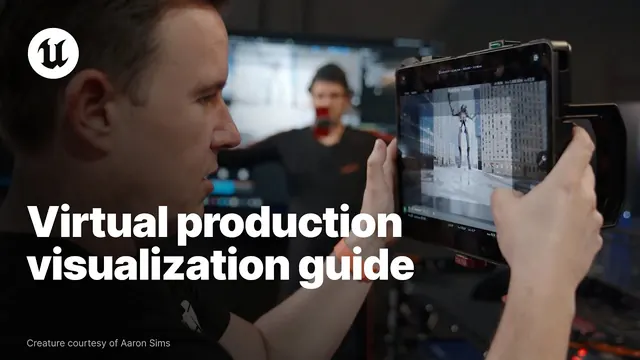
5 films · about 45 minutes
Your browser blocked the player's tracking script, so watch time can't be credited here. Use the demo skip below.
More like this: Virtual production path
Films are made and owned by the channels named, and play from YouTube. Inclusion here is not an endorsement either way.
Getting started
- Unreal Engine is free to download for learning. It needs a capable computer; a gaming PC or recent workstation is best.
- Learn to move around the viewport, place objects, and save often with clear names.
The Cine Camera
- The Cine Camera Actor uses real camera settings: sensor size, focal length, aperture and focus distance.
- Set the sensor to match the production camera, so a 35mm lens frames the same in the engine and on set.
Sequencer and previs
- Sequencer is a timeline for cameras and animation. Block each shot with a camera and keyframes, then cut between them.
- Previs is for planning, not finished pictures. Keep it simple: the point is framing, lens, movement and timing.
- Export a screen recording to share with the director and DoP.
Check
3 questions drawn from 8 · pass mark 80% · safety-critical questions must be right · 3 attempts in 24 hours · new questions each time
Watch the films to open the check.
Do
Block a three-shot previs · 45 minutes
In Unreal, block three shots of a person walking to a window: a wide, a mid and a close-up. Use Cine Cameras with real focal lengths. Record your screen and paste a link (or describe it if you can't run Unreal yet).
How it's marked
- Three shots that cut together
- Real focal lengths with a reason for each
- Camera movement planned and explained
- If no computer: a clear written shot plan with lenses
Met or Not yet, with a comment from a trained reviewer. Until accounts open, open the model answer after you submit and mark your own work against it.
Model answer (open after you submit)
Shot 1: 24mm wide, static, the person enters and crosses to the window. Shot 2: 50mm mid, slow push as they reach the window. Shot 3: 85mm close-up at the glass, the view soft behind. Lens choices compress the space as we get closer.
Reflect
Record
This is everything kept about this lesson. In the pilot it's held by Futures in Film CIC in your account; Screen Sisters CIC sees named records only if you agree. Your data
Moving on doesn't complete a lesson. A lesson is complete when the films are watched, the check is passed and the task is marked Met.