
Learning path · Post-production
Virtual production
How LED-volume and in-camera VFX shoots work, who does what on a VP stage, and the Unreal Engine skills to start with.
Free films in teaching order, for one craft. Watch, tick them off and test yourself. It's practice that prepares you for an Academy course. This one prepares you for Virtual production Foundation.
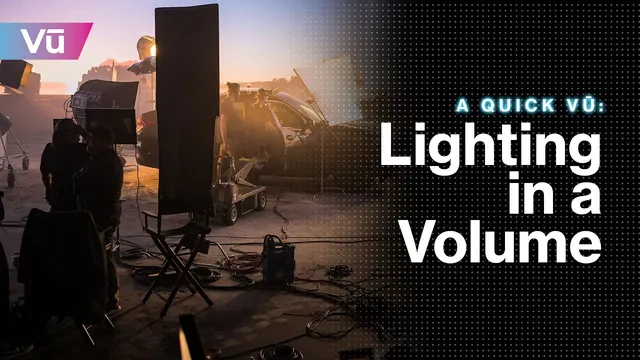
Lesson 1
A Quick Vū: Lighting in a Volume
Vū · 4:12 · original on YouTube
You will learn: See how an LED volume lights the set, and how bright it is.
Watch for: US stage. Watch how close crew stand to the wall, and where they don't go.
Safety first
The LED volume, heat, height and eyes
An LED volume is a lighting rig, a giant screen and a computer room in one. Its hazards are brightness and flicker, heat and noise, heavy panels at height, power, and long hours at the brain bar.
The hazards
- Brightness and flickerA volume can be very bright and can strobe (lightning, explosions, fast moves). Warn cast and crew before flashing content, so anyone with photosensitive epilepsy can step out, and give eyes a rest between set-ups.
- Heat and noiseWalls and processors make heat, and cooling fans make noise. Water, breaks and air flow on long days; check sound's levels too.
- Panels and riggingPanels are heavy, with sharp edges and fragile faces. Walls and ceilings are rigged by qualified riggers under LOLER. Nobody climbs the wall or goes up to the ceiling without the rigging supervisor.
- Behind the wallBehind the volume are power, data cables and processors. It's a restricted area for the LED team.
- PowerVolumes draw a lot of power. Only qualified electricians and LED technicians touch distribution or open panels.
- The brain barLong hours at screens: the DSE Regulations apply, plus the same fatigue rules as any shoot day.
Who is responsible
- The VP supervisor runs the volume; the LED engineer owns panels and processors.
- The rigging supervisor owns everything at height, under LOLER.
- The 1st AD briefs flashing content and keeps the restricted areas restricted.
As a trainee, never
- Never climb the LED wall or go up to the ceiling.
- Never go behind the wall unless you're on the LED team.
- Never run flashing content without warning the stage first.
Anyone can say stop. If something feels wrong, say so to your head of department or the 1st AD.
Where this comes from
- HSE: LOLERThe Lifting Operations and Lifting Equipment Regulations 1998: rigging, hoists and anything lifted overhead.
- HSE: work at heightThe Work at Height Regulations 2005: ladders, towers, platforms and who may use them.
- HSE: electrical safetyThe Electricity at Work Regulations 1989.
- HSE: non-ionising radiationIncluding the Control of Artificial Optical Radiation at Work Regulations 2010 (lasers and very bright sources).
- HSE: display screen equipmentThe Health and Safety (Display Screen Equipment) Regulations 1992: workstation set-up, breaks and eye tests.
- Epilepsy Society: photosensitive epilepsyWhy flashing light needs a warning.
Checked 13 November 2026. This is awareness, not a safety qualification: follow your production's risk assessment and your head of department.
By the end you will be able to
- Explain LED volumes, in-camera VFX and when green screen is still the better choice
- Name the VP crew roles and how they fit with traditional departments
- Navigate Unreal Engine, set up Cine Cameras and light a scene
- Describe camera tracking, nDisplay, lens calibration and moiré management
Test yourself
Could you do it on a set?
4 real situations, one for each thing this path teaches. It's optional practice, not pass or fail, and your answers stay on this device.
Next: do it for real
This path prepares you for Virtual production Foundation.
Six lessons in the order a VP crew meets the work: planning, plates and worlds, camera and tracking, colour and light on LED, Unreal for film-makers, and the roles. Each has a practice task.
It's free and open in the pilot. Finish it to book a competency check, then a practical on our unit.

How learning with FIF works
Learning path. Free films in teaching order, for one craft. Watch, tick them off and test yourself. It's practice that prepares you for an Academy course.
- Learn onlineFree films, paths and Academy coursesYou are here
- Competency checkA short check with us, online or in person
- In-person practicalOn our unit at Pinewood or 3 Mills
- FIF CertificateFrom the practical only
The FIF Certificate comes only from the practical. How it works · Book a competency check
 Making Virtual Production Real: New and Emerging RolesScreenSkills · Lesson49 min.
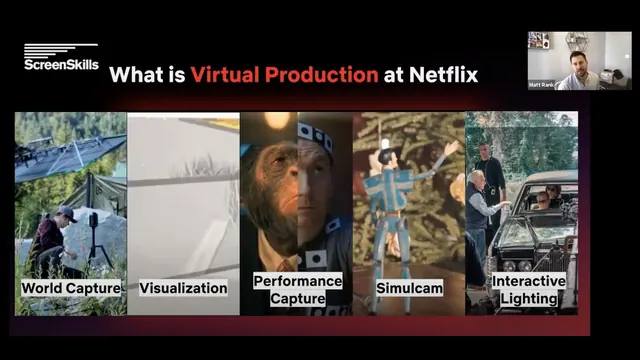 ScreenSkills Making Virtual Production Real: Virtual Production is Production with Matt RankScreenSkills · Lesson50 min.
 Why Did LED Walls Fail To Replace Greenscreens? - Ft FramesyncCGY · Lesson18 min.
 Dimension and DNEG 360 Present the Evolution of Virtual ProductionDimension Studio · Lesson17 min.
 Lighting in Unreal Engine 5 for BeginnersWilliam Faucher · Lesson45 min.
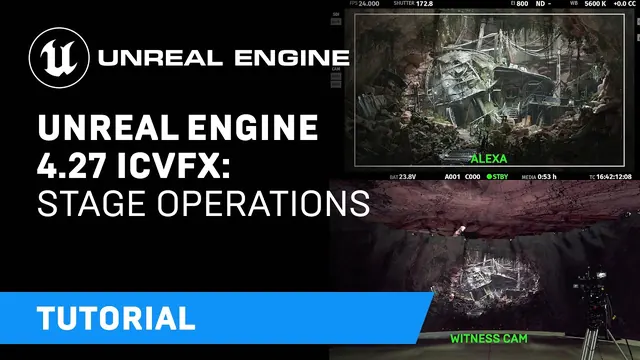 Unreal Engine 4.27 In-Camera VFX Tutorials | 4: Stage OperationsUnreal Engine · Lesson39 min.
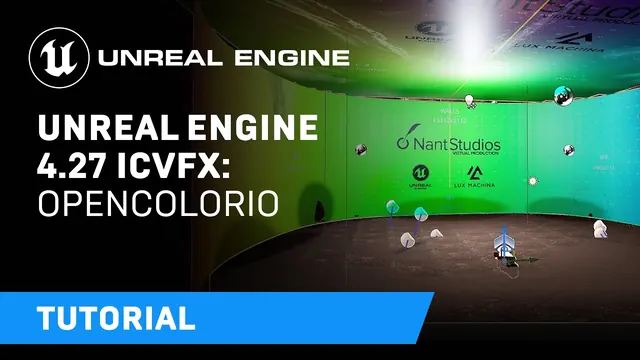 Unreal Engine 4.27 In-Camera VFX Tutorials | 6: OpenColorIOUnreal Engine · Lesson13 min.
 Unreal Engine 4.27 In-Camera VFX Tutorials | 8: Interactive LightingUnreal Engine · Lesson9 min.
 LED Screens for Filmmakers: Master Flicker & Moiré + Key Tips for Your Shoots!Ion & Cosmina · Lesson14 min.
- A Quick Vū: Lighting in a VolumeVū · Lesson4 min.
 In-Depth 2020 STYPE Technology Demonstration in Chapters + RedSpy & StypeKit tracking & StypeLandstYpe · Lesson1 h 11 min.
Go further
Beyond YouTube, labelled honestly. Free first. Paid options are labelled.
- Unreal Engine learning library Free with sign-up
Epic Games. Official courses including virtual production and in-camera VFX. - In-camera VFX documentation Free
Epic Games. Current official reference for nDisplay, ICVFX and stage set-up. - ScreenSkills e-learning Free with sign-up
ScreenSkills. UK industry modules, including post-production and VFX careers material. - NFTS short courses Paid (varies by course)
National Film and Television School. UK short courses in editing, colour, post and VFX; check the current list and any bursaries. - Virtual Production (Filmmaking with real-time technologies) Paid (£4,150)
NFTS. Six-month course. - Virtual Production diploma Paid (£14,450)
NFTS. One-year diploma. - Select Industry Insight: VFX artist and virtual production developer Free with sign-up
ScreenSkills. Real career routes. - StoryFutures Free to browse; some programmes funded
StoryFutures (Royal Holloway). UK centre for immersive and virtual production R&D and training.
For learners and trainers
Every lesson is a free video by its original maker, played from YouTube with privacy-enhanced settings. Found a broken video? Email [email protected].