
AI Foundation
- Lesson3 of 6
- Time60 min
Editing assist
Outcome
Use AI editing features (transcript search, visual search, clip prep, generative extend) and decide where each is appropriate.
Mapped to 1 ScreenSkills checklist line
- ScreenSkills second assistant camera / clapper loader skills checklist · Core responsibilities: "Store, label, document and deliver media and rushes to production"
ScreenSkills checklists are guides, not accreditation. This course is not endorsed by ScreenSkills.
Watch
5 films · about 17 minutes
Your browser blocked the player's tracking script, so watch time can't be credited here. Use the demo skip below.
More like this: Prompting and directing AI shots path · AI for camera departments path · AI in post path
Films are made and owned by the channels named, and play from YouTube. Inclusion here is not an endorsement either way.
Search and prep
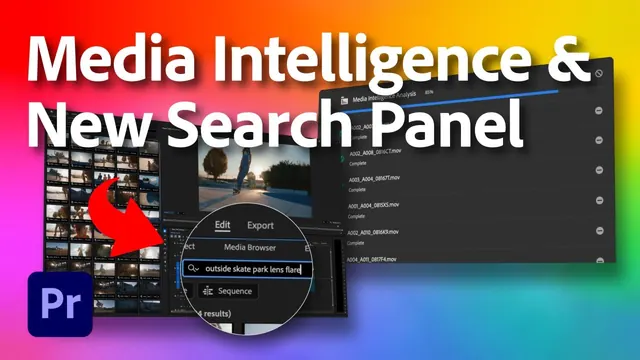
- Transcripts and visual search help the assistant editor find material fast. Check names and terms: transcripts get them wrong.
- Clip prep and bin organisation save hours. The assistant editor still checks every bin.
Changing pictures
- Generative extend adds frames that were never shot. Fine for a temp; in a final cut, tell the editor and producer, and check the delivery rules.
- Never use generated frames to change what a person did or said without consent.
Who decides
- The editor makes every cut. AI helps them get there faster.
Check
3 questions drawn from 8 · pass mark 80% · safety-critical questions must be right · 3 attempts in 24 hours · new questions each time
Watch the films to open the check.
Do
Where would you use it? · 20 minutes
For each edit task, say which AI feature (if any) you'd use, and what you'd check.
1. Find every take where the actor says 'harbour'. 2. Find every shot with the red van. 3. A shot is two frames too short for a dissolve in the final cut. 4. Sync two cameras and sound for 300 takes.
How it's marked
- 1 Transcript search; check spelling
- 2 Visual search; check every result
- 3 Generative extend only if declared and allowed; otherwise re-cut
- 4 Auto sync; spot-check sync
Met or Not yet, with a comment from a trained reviewer. Until accounts open, open the model answer after you submit and mark your own work against it.
Model answer (open after you submit)
1 Transcript search; check the name spellings. 2 Visual search; check each hit. 3 Ask the editor: re-cut if possible; generative extend only if declared and allowed for delivery. 4 Auto sync; spot-check slates on a sample of takes.
Reflect
Record
This is everything kept about this lesson. In the pilot it's held by Futures in Film CIC in your account; Screen Sisters CIC sees named records only if you agree. Your data
Moving on doesn't complete a lesson. A lesson is complete when the films are watched, the check is passed and the task is marked Met.