
The rules, in plain words
How it works.
Learn online, a short competency check, a practical on our unit, then the FIF Certificate. You can't click your way to a record: you pass the checks, and a person marks the tasks. Every rule, and why.
The route
Four steps.
Step 1
Learn online
Watch and Learn and our Academy courses teach the job before you're on set: how a set runs, staying safe, and the first jobs in your department. No account needed to watch.
Free, any time. Day One first, then your department's course. Kit modules are optional. Leads to: Your online learning record.
Step 2
A short competency check
When you're ready, someone from the department you're aiming at checks what you know, online or in person. A conversation and a few questions, not an exam. If it's "not yet", we tell you what to go back to, and you can book again.
Online or in person. When you're ready. Experienced crew can book the check directly. Leads to: A practical on our unit, or "not yet" with what to go back to.
Step 3
In-person practical
You hold a grade on one of our units at Pinewood Studios or 3 Mills Studios, with working crew and current kit. A trainer watches you work.
On our unit. 18 and over, except programmes we arrange with schools, colleges and other institutions under their own safeguarding. Leads to: Sign-off by the trainer who watched you.
Step 4
The FIF Certificate
Awarded only after the in-person practical, and only by the trainer who watched you. Online learning shows what you know. The practical shows you can do the job.
After the practical. Only for people who pass an in-person practical with us. Leads to: The FIF Certificate. Not a qualification.
Our steps aren't qualification levels. Not a qualification, and not endorsed by ScreenSkills or any awarding body. Places on practicals are limited by crew size. End-of-course online tests are optional practice, not pass or fail.
A lesson
Six steps in every lesson.
| Step | What you do | What counts |
|---|---|---|
| 01 Outcome | Read the one thing you'll be able to do by the end. | Each outcome cites a ScreenSkills skills checklist line. |
| 02 Watch | Watch the films. Most lessons have two to four, from working crew and UK bodies. | 90% of the required films, played at normal speed. |
| 03 Check | Answer three questions drawn from a bank of eight. | 80%, and every safety-critical question right. |
| 04 Do | A short task: a call sheet plan, a slate log, a hazard spot. | Marked Met or Not yet by a trained reviewer, with a comment. |
| 05 Reflect | Two lines, for you. | That you wrote them. Reviewers don't read or mark them. |
| 06 Record | See what's kept about the lesson. | Watched, passed, marked. Nothing more. |
Watch: what the practical prepares you for
 How to make the most of your first jobScreenSkills · original on YouTube
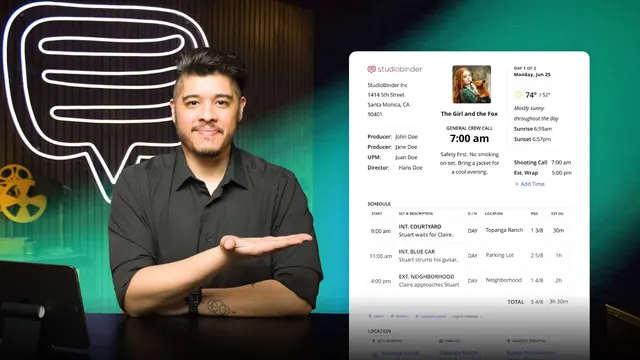 What is a Call Sheet — What Goes On It and WhyStudioBinder Academy · original on YouTube
 Every Film Crew Job In The Camera Department ExplainedIn Depth Cine · original on YouTube
 1:03The unit at work, 2023–26Futures in Film
Assessment
The assessment rules.
Checks
- 3 questions per lesson, drawn from a bank of 8.
- Pass mark: all three right.
- 3 attempts in any 24 hours, with different questions each time.
- The right answers are shown once you pass, or once your three attempts are used.
Safety comes first
- Some questions are safety critical. Get one wrong and the check isn't passed, whatever the score.
- In every physical department, lesson one is safety, and it's a gate: later lessons open once you pass it.
- Stunts, special effects and weapons are taught as awareness only. We never teach how to do them.
Tasks
- Every task is marked Met or Not yet, with a comment.
- Not yet means try again. There's no limit on resubmitting a task.
- One task in five is moderated by a second reviewer.
Watching
What counts as watched.
The films play from YouTube, which doesn't let anyone stop you skipping or put anything over the player. So we credit the seconds you actually play, at normal speed (up to 1.5×), with the tab in view. Skip ahead and you leave gaps; go back and fill them.
A lesson counts as watched at 90% of its required films. Optional films are marked as optional.
Watching isn't the test. The checks and tasks are, then the competency check, then a trainer watching you work on the practical.
The check
The competency check.
What it is. A short check, run by FIF, that tells us you're ready for a practical on our unit. Not an exam, not a qualification, and not a verdict on whether you're "good enough" for the industry.
What it covers
- Safety on set. Who is in charge, stop-work, cables, kit carts, working near stunts, SFX and weapons (awareness only), and when to stand clear.
- How a set runs. The call sheet, the calls ("turning over", "cut", "checking the gate"), the radio, who's who and where to stand.
- Your department's basics. The first jobs for the grade you're aiming at. For camera, that means a slate, a camera report and how cards or mags are handed over. The Academy course for your department covers everything we ask.
- You. What you want next, what could get in the way (travel, shifts, caring, kit, faith commitments), and anything we should adjust.
Online or in person. Online: a video call with a few questions on screen, at a time that suits you. Captions, a support worker or a written version on request. In person: at Pinewood or 3 Mills, usually the morning of a workshop or open day, with a walk round the kit and the same questions face to face. Both count the same.
If you don't pass yet. It's "not yet", not "no". We tell you what to go back to, link the lessons, and you book again when ready. No limit, no penalty. A person makes every decision; no one is turned down on a score alone. Safety answers must be right before you go on a unit.
What you bring. Nothing to buy. Your Academy progress helps but isn't required. Experienced crew stepping up a grade can book the check directly, without the online courses.
A course's end-of-course self-test and practice task are optional practice for the check, not a pass or fail.
Fairness
Built so you can finish.
Time
A Foundation is 6 to 8 hours, done within 12 weeks, with extensions on request. Ask, and we extend it.
Access
Captions are on wherever the film has them. Every lesson's teaching is also written on the page.
No device?
Our in-person sessions and Story to Screen Lab can run the same lessons with you on our kit.
Honest limits
Online learning shows what you know. The practical shows you can do the job, and only the practical leads to the certificate.
Your data
What we'll store, and who sees it.
Now, before accounts open: nothing. Your progress saves in your own browser only. Clear it any time with "Clear my progress".
When accounts open: accounts are for 18 and over. We'll keep your name, email, age band, courses, what you watched, check results, task submissions and reviewer comments. Futures in Film CIC holds the records. Screen Sisters CIC sees totals, and your named record only if you agree. We never ask for or store faith or ethnicity in the academy.
Under-18s use the lessons through school or college on a classroom screen. We collect nothing about them.
Last reviewed 11 November 2026. Rules version v1.2.0-academy.