
Learning path · Post-production
Post-production workflows and the assistant editor
Rushes to delivery: the assistant editor's job, proxies, offline and online, conform, turnovers, sound post, deliverables and QC.
Free films in teaching order, for one craft. Watch, tick them off and test yourself. It's practice that prepares you for an Academy course. This one prepares you for the post-production course (coming).

Lesson 1
Workstation set up at home and in the office - good posture
Health and Safety Executive · 1:37 · original on YouTube
You will learn: Set up a chair, desk and screen to protect your back, neck and eyes.
Note: Official HSE film. Try it at your own desk while you watch.
Safety first
Screens, hours, distressing footage and data
Post looks safe because it's indoors. Its real hazards are slower: posture and eyes, very long hours near delivery, footage that can be hard to watch, loud mixes, and data that can't be lost or leaked.
The hazards
- Your workstationChair, desk, screen height and lighting set up for you, and short breaks away from the screen. If you're employed and use screens daily, your employer must assess your workstation and pay for an eye test if you ask (the DSE Regulations).
- Hours and crunchDelivery dates squeeze post. Most workers can't be made to average more than 48 hours a week unless they've opted out in writing, and should get rest between days. Tell your lead or producer before tiredness causes mistakes.
- Distressing footageDocumentary, news and drama rushes can include violence, abuse and grief. Ask to be warned before you view it, take breaks, and talk to someone. The Film and TV Charity's Support Line is free, 24 hours: 0800 054 0000.
- Loud mixesDubbing theatres are calibrated loud. Take ear breaks and follow the mixer's levels, especially on long sessions.
- Data and confidentialityRushes contain unreleased work and people's personal data. Use the production's drives and systems, never a personal cloud; keep two verified copies; report a lost drive at once. Many clients ask vendors to meet the Trusted Partner Network's security standard.
- Working alone at nightLate sessions in an empty facility count as lone working: someone should know you're there and when you leave.
Who is responsible
- The post supervisor and post producer set the schedule, the hours and the data rules.
- The facility owns the building, the workstations and fire safety.
- The editor or lead in each room looks after the team in it.
As a trainee, never
- Never copy rushes to a personal device or cloud account.
- Never format a card or drive before the copies are verified.
- Never sit through hours of distressing material without a break or support.
Anyone can say stop. If something feels wrong, say so to your head of department or the 1st AD.
Where this comes from
- HSE: display screen equipmentThe Health and Safety (Display Screen Equipment) Regulations 1992: workstation set-up, breaks and eye tests.
- GOV.UK: maximum weekly working hoursThe Working Time Regulations 1998: the 48-hour average, opting out, and rest breaks.
- HSE: stress and mental health at workThe HSE Management Standards for work-related stress.
- HSE: lone workingKeeping people safe when they work alone, including on recces and late calls.
- The Film and TV Charity: get supportFree 24-hour Support Line on 0800 054 0000, plus money, mental health and bullying advice.
- The Whole Picture ToolkitThe Film and TV Charity's mental health toolkit for productions.
- Trusted Partner NetworkThe content security standard many studios and streamers ask post and VFX vendors to meet.
Checked 13 November 2026. This is awareness, not a safety qualification: follow your production's risk assessment and your head of department.
By the end you will be able to
- Explain each stage of post and who does it
- Set up an Avid project, sync rushes and organise bins as an assistant editor
- Use proxies, explain offline/online and conform an EDL or XML
- Describe dialogue editing, ADR, Foley and the final mix
- Prepare festival, broadcast and streamer deliverables and understand QC
Test yourself
Could you do it on a set?
5 real situations, one for each thing this path teaches. It's optional practice, not pass or fail, and your answers stay on this device.
Next: do it for real
Post-production course: coming.
There isn't an Academy course for post-production yet. Register interest and we'll tell you when it opens. Meanwhile, Day One covers safety and how a set runs for every department, and experienced crew can book a competency check directly.
How learning with FIF works
Learning path. Free films in teaching order, for one craft. Watch, tick them off and test yourself. It's practice that prepares you for an Academy course.
- Learn onlineFree films, paths and Academy coursesYou are here
- Competency checkA short check with us, online or in person
- In-person practicalOn our unit at Pinewood or 3 Mills
- FIF CertificateFrom the practical only
The FIF Certificate comes only from the practical. How it works · Book a competency check
 NFTS Post Production Supervision MasterclassThe National Film & Television School · Lesson1 h 16 min.
 Digital deliverables demystified: Supplying for festivals and beyond | BFI Future Film Festival 2023BFI · Lesson55 min.
 AE104 - ASSISTANT TASKSThe Avid Assistant · Lesson35 min.
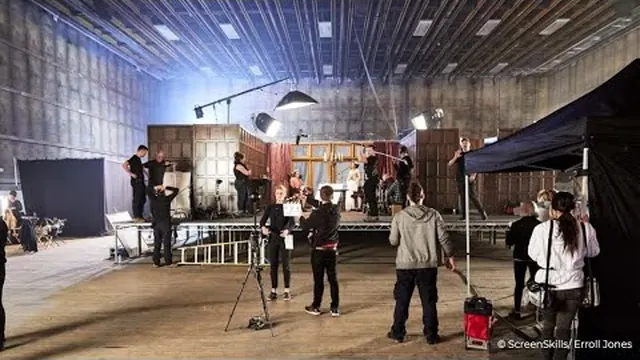
 From DITs to dailies: data management for high-end TVScreenSkills · Lesson1 h 3 min.
 Problem-free post-production: strategies and insightsScreenSkills · Lesson1 h 21 min.
 How to Create a Proper M&E for Film (Music & Effects) — Foreign Version ReadyThomas Boykin · Lesson24 min.
 Why We Don’t Checkerboard Dialogue or Foley (And What to Do Instead)Mastering Post-Production Sound · Lesson20 min.
 Netflix Asset QC Fix Notes ProcessNetflix Production Technology Resources · Lesson4 min.
 Creating an IMF Package in DaVinci Resolve [PARTNER PROVIDED]Netflix Production Technology Resources · Lesson24 min.
 Sound at NetflixNetflix Production Technology Resources · Lesson10 min.
Go further
Beyond YouTube, labelled honestly. Free first. Paid options are labelled.
- ScreenSkills e-learning Free with sign-up
ScreenSkills. UK industry modules, including post-production and VFX careers material. - NFTS short courses Paid (varies by course)
National Film and Television School. UK short courses in editing, colour, post and VFX; check the current list and any bursaries. - DPP technical specifications and guides Free (some resources need sign-up)
DPP (Digital Production Partnership). UK broadcast delivery standards (AS-11 UK DPP HD and successors). - Netflix Partner Help Center Free
Netflix. Delivery, IMF, sound and QC specifications for streamer work. - Avid Learning (Media Composer) Free tutorials; paid certification
Avid. Media Composer is standard in UK drama cutting rooms. URL blocked automated checking; confirm by hand. - LinkedIn Learning Paid subscription (free trial)
LinkedIn. Structured courses on Resolve, Avid, Premiere, After Effects and Nuke; some UK libraries offer free access. - Post production explained (series) Free with sign-up
ScreenSkills. Aspect ratio, resolution, colour spaces and the picture pipeline. - Post production explained: sound (series) Free with sign-up
ScreenSkills. Sound pipeline, editorial and mixing. - Frame.io Workflow Guide Free
Frame.io. Free in-depth guide to post workflows. - Post-Production Demystified Paid (check page)
NFTS. Ten-week online course. - Post Production Supervision Online Paid (check page)
NFTS. For would-be post supervisors. - Apprenticeship standard: Post production engineer (Level 5) Free to the apprentice (paid job; employer and government fund training)
Skills England. Shows what the apprenticeship covers; find live vacancies on Find an Apprenticeship.
For learners and trainers
Every lesson is a free video by its original maker, played from YouTube with privacy-enhanced settings. Found a broken video? Email [email protected].