
AI in production · Worked examples
Where it saves hours, where it fails, and how a professional checks it.
For each department: what's in use, a worked example, what to watch, and the skill that lasts.
The worked examples are tasks of the kind we set on a training unit: method, not test results. Tools are named so you know what people mean; we don't rate or sell any of them.
Jump to: Editorial · Sound · VFX and finishing · Production office · Design, look and camera · Virtual production
Editorial and assembly
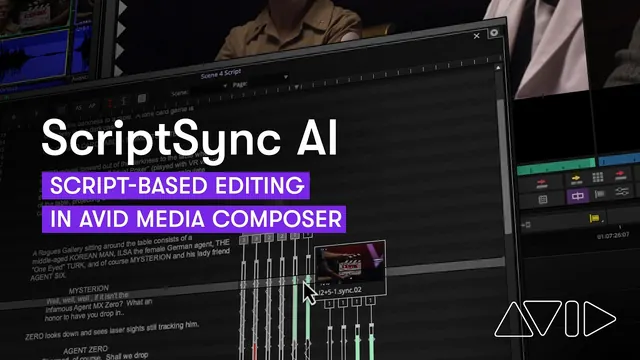
In use now. Transcription, phrase search, slate reading, auto-sync and first-pass selects, inside Avid Media Composer, DaVinci Resolve and Adobe Premiere Pro. Rushes become searchable by what was said.
Worked example. The assistant editor transcribes two days of rushes, syncs by timecode and bins every take with a line the director flagged. Checking finds three misheard names, one mislabelled slate, and a boom in shot on the "best" take. The tool saved most of the morning; the checking is the job.
What to watch.
- It can't make the edit. It finds the word; the cut is rarely where the word is.
- It can't judge performance. Two readings that transcribe identically are not the same take.
- A transcript isn't a record. A misheard line in a factual programme is a compliance failure.
- Rushes sent to a cloud service are confidential material leaving the building. Ask who authorised the tool.
The skill that lasts. Media management: knowing where every copy of the rushes is, including the ones a transcription service made.
Sound and post sound
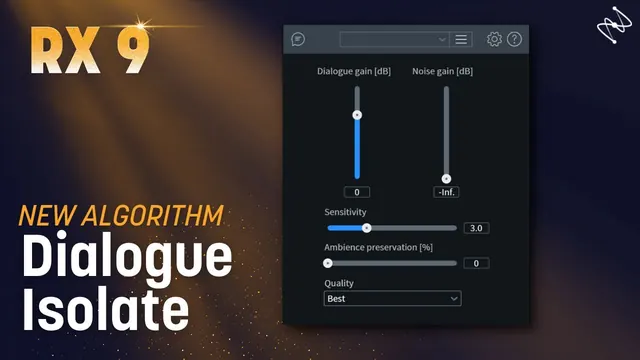
In use now. Dialogue isolation, de-rustle, noise and reverb removal, source separation and speech-to-text logging, in tools such as iZotope RX and built-in repair features. Almost none of it is generative.
Worked example. An exterior has traffic under the dialogue and lav rustle. The dialogue editor isolates the voice, removes the rustle and compares against the boom track on good monitors. High settings leave an audible artefact, so they pull back and flag the take for possible ADR. One line saved, one flagged, nothing faked.
What to watch.
- Heavy processing has a sound. Listen on proper monitoring before you commit.
- A voice is a person. Any cloned or synthesised voice needs that performer's specific written consent for that use.
- A contributor's consent to be recorded isn't consent to be recreated.
The skill that lasts. Ears, monitoring and knowing when a line needs ADR rather than rescue.
VFX and finishing
In use now. Roto and paint assist, marker and rig removal, matchmove and depth from a single plate, denoise and upscaling. The most mature use, and where junior artists' volume work is changing fastest.
Worked example. Tracking markers must go across 300 frames. The artist hand-paints a few key frames, trains a small model on them (as Nuke's CopyCat does) and runs it across the shot, then reviews every frame at full resolution and fixes hair and motion-blur edges by hand. No outside training data; nothing leaves the building.
What to watch.
- Temporal consistency: flicker, crawl and boiling edges are the giveaway.
- Edges: hair, motion blur and defocus are what the shot is judged on.
- Matching the plate: generated patches come back too clean; grain and lens character go back by hand.
- Colour: many generative tools output display-referred images into a linear, wide-gamut pipeline.
- De-ageing and face replacement need documented performer consent.
The skill that lasts. Compositing fundamentals, colour science, and being the artist who can take a supervisor's note.
Production office and scheduling
In use now. Script breakdown, draft schedules, movement orders, correspondence, and turning one set of information into the call sheet, day-out-of-days and crew list.
Worked example. The coordinator puts a redacted scene list (no names, addresses or medical notes) into an approved tool for a draft one-liner grouped by location. The 1st AD checks it against the agreement in force: it breaks turnaround twice and ignores a child performer's hours. Two hours of typing saved; the rules still live in a person's head.
What to watch.
- It doesn't know the agreements: turnaround, working time, lunch, or the limits on children's hours.
- It doesn't know your location: council conditions, school holidays, the neighbour who complained last time.
- It invents rates and forgets National Insurance, holiday pay, pension and contingency.
- Crew lists, next of kin, bank, medical, access, dietary and religious details are personal data, much of it special category. Uploading a call sheet to a consumer tool needs a lawful basis and someone with authority to decide. See the ICO.
- Don't screen applicants with it.
The skill that lasts. Knowing the agreements, and redacting before anything goes anywhere.
Design, look and the camera department
In use now. Before the shoot: previs, look development, generated reference and lookbooks. On the day: very little beyond take logging, metadata and some monitoring assists. After the shoot: reframing, denoise, upscaling, object removal, relighting and face work in the grade.
Worked example. At prep the DoP and director agree a lookbook partly from generated reference. The DoP's prep notes say what post may do (reframe, relight, face changes) and who signs off a change to the look. When the grade offers face-smoothing on a lead, the note settles it: that's performer consent, not grading preference.
What to watch.
- A generated frame isn't a drawing: no elevations, no dimensions, nothing construction can cost or build.
- It can't hold the same room from twelve angles, which is the art department's actual product.
- Period, cultural and costume detail comes back as pastiche. Signage and text come back wrong.
- Don't prompt with a living artist's name or style without cleared rights.
- Don't pass a generated board to construction or costume as though it were measured.
The skill that lasts. Drawing over rather than handing over, measurable 3D, draughting, and a provenance log for every asset.
Virtual production and real-time
In use now. Machine learning has long been inside the real-time pipeline: learned denoising and upscaling keep a volume at frame rate. Generated 2.5D environments are used for backings.
Worked example. An LED volume scene needs a cityscape. The team generates a 2.5D environment; the real-time artist rebuilds foreground geometry, manages colour to the calibrated wall, and bakes it so every take shows the same frame. The move is agreed as slow and short, because without true depth the backing breaks under parallax.
What to watch.
- Generated geometry isn't real-time geometry: no clean topology, usable UVs or levels of detail.
- Generated content arrives unmanaged, usually sRGB, into a pipeline built on a calibrated wall.
- Nothing generative is deterministic. Bake it before it goes on the wall.
- Licences: who owns the environment, for how long, in which territories, and were identifiable people or places captured?
The skill that lasts. Real-time budgets, managed colour, and the plumbing: tracking, lens data, genlock and timecode.
The course
Where these examples become practice.
AI in production runs these tasks on a working unit, with the people who do the jobs. It's fully funded and covers the camera and rushes pipeline as well as post.

Last reviewed 9 November 2026